

Types of Computer Cables Explained: HDMI, USB, VGA & More
In today's digital world, the right types of computer cables play a crucial role in performance, picture quality, and connection speed. Poor or incorrect cables often cause signal loss, blurry images, slow data transfer, or no connection at all. This guide explains the main types of cable in computer systems clearly, including popular HDTV cords like HDMI. As a professional manufacturer, Ghtcable helps customers choose reliable solutions for homes, offices, and industrial projects.
Why Understanding Types of Computer Cables Matters
Different cables serve unique functional purposes. Some carry only analog video, while others handle high-definition audio, power, or ultra-fast network signals. Key factors to consider when evaluating different types of cable in computer environments include bandwidth, resolution support, cable length limits, and shielding quality.
Generally, digital types of cable in computer deliver much sharper results than older analog standards like VGA. Choosing high-quality cables from a trusted factory like Ghtcable helps you avoid signal degradation caused by electromagnetic interference (EMI). A reliable cable infrastructure ensures that your hardware performs at its maximum potential, preventing the "bottleneck" effect where high-end computers are limited by low-quality wires.
Main Types of Video Cables
Video cables rank among the most frequently used types of cable in computer and entertainment systems. Selecting the correct interface is vital for achieving the best visual output for your specific monitor or television.
HDMI Cable – The Most Popular HDTV Cord
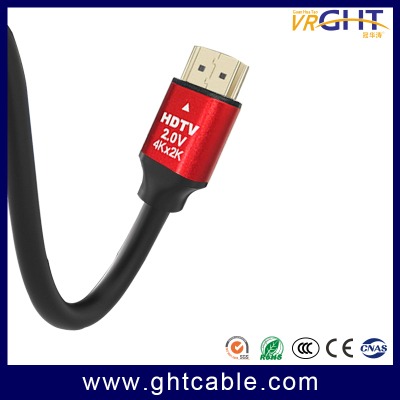
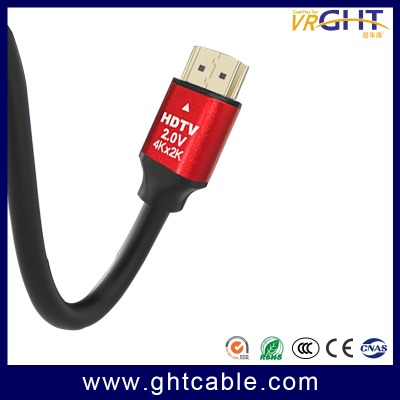
HDMI is currently the top choice for modern video and audio transmission. It is the definitive hdtv cord because it carries uncompressed digital video and multi-channel audio through a single interface. Current HDMI versions produced by Ghtcable support 4K and 8K resolutions, HDR, and high refresh rates required for modern gaming consoles and home theaters. Ghtcable’s Advantage: We manufacture high-quality, thick outer diameter (OD) HDMI cables that maintain stable signals over longer distances. Our hdtv cord products offer excellent durability with premium shielding to prevent electromagnetic interference (EMI).
VGA Cable and Older Standards
VGA is an older analog video cable. It transmits video only and supports lower resolutions with no audio. Many people still use VGA with legacy projectors or monitors. For modern high-definition setups, it is better to switch to HDMI or DisplayPort for sharper images.
DVI provides digital video with better quality than VGA but still lacks audio support. DisplayPort excels in high-resolution and multi-monitor setups. Thunderbolt combines data transfer with video output and is popular for professional users.
Video Cable Comparison Table
|
Cable Type |
Signal Type |
Max Resolution |
Audio Support |
Typical Applications |
|
HDMI |
Digital |
8K |
Yes |
TVs, monitors, gaming consoles |
|
VGA |
Analog |
1080p |
No |
Older projectors and monitors |
|
DisplayPort |
Digital |
8K |
Yes |
High-end PC monitors |
|
DVI |
Digital |
1440p |
No |
Older digital displays |
Data and Peripheral Cables
While video is a priority, other types of cable in computer systems manage the massive flow of data and internet connectivity that keeps modern businesses running.
USB Cables
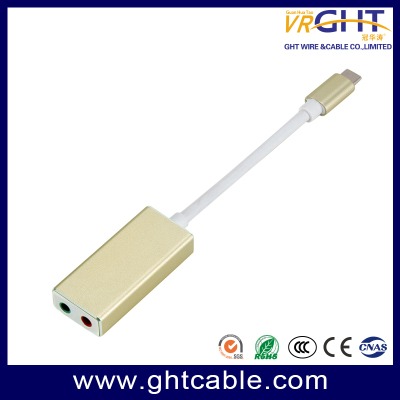
In the realm of data management, USB cables remain the most versatile types of cable in computer history. The evolution of this interface has transitioned from the bulky, directional USB-A connectors to the sleek, reversible USB-C standard. Modern USB 3.0 and 3.1 protocols have revolutionized external storage by offering high-speed data transfer rates of 5Gbps to 10Gbps, which are essential for professional external hard drives and media production. Today, USB-C is the dominant factory standard, not only for its high-speed data capabilities but also for its support of advanced Power Delivery (PD). Ghtcable’s professional USB line is engineered specifically for high-frequency industrial and commercial use; our connectors are reinforced to ensure they do not loosen or suffer from signal failure even after thousands of repeated cycles of plugging and unplugging.
Ethernet Network Cables
While wireless technology continues to advance, wired Ethernet network cables remain the gold standard among types of cable in computer networking due to their superior stability and ultra-low latency. In professional environments, Cat6 has become the baseline standard for modern offices, providing reliable Gigabit performance. For more demanding infrastructures, such as 10G data centers or high-interference industrial zones, specialized Cat6a and Cat7 cables are required to maintain peak bandwidth. Ghtcable’s manufacturing expertise is reflected in our extensive range of indoor and outdoor Cat6 solutions, all of which carry the rigorous CPR CE certification. These network cables are the ideal choice for high-security systems, enterprise-level data centers, and professional-grade home networks where consistent connectivity is a mission-critical requirement.
Specialized Types of Cable in Computer Setups
The comprehensive ecosystem of Ghtcable extends far beyond standard data lines to include other essential types of cable in computer environments that power and connect modern enterprises. Our heavy-duty power cords are built with high-purity copper to supply stable electricity to high-performance workstations and server racks without overheating. For media and telecommunications, Ghtcable produces coaxial cables featuring robust shielding for crystal-clear TV and broadband signal transmission. Finally, for the most demanding long-distance requirements, our fiber optic cables represent the pinnacle of connectivity, offering the speed of light for massive data throughput. By providing this full spectrum of specialized cables, Ghtcable offers a convenient, one-stop shopping experience that ensures every link in your digital chain meets professional manufacturing standards.
How to Choose the Right Computer Cables
Identify your device requirements for resolution, speed, and distance. Longer hdtv cord runs need superior shielding to prevent signal loss. Always check for quality certifications such as CE, RoHS, and REACH. Reliable build quality from a professional factory ensures a significantly longer service life.
Why Choose Ghtcable?
Established in 2006, Ghtcable (VRGHT) is a professional cable factory in Guangdong, China. With over 15 years of experience and more than 10,000 square meters of factory space, the company specializes in network cables, HDMI cables, coaxial cables, power cables, and hardware products like network cabinets. Ghtcable exports to more than 80 countries with certifications including ISO9001, CE, RoHS, REACH, and FLUKE. Customers enjoy factory-direct prices, strict quality control, and reliable one-stop solutions.
Common Mistakes to Avoid
Avoid using cheap cables for 4K or high-speed applications. Do not choose overly long cables without proper shielding. Mixing incompatible standards can also cause problems. Investing in good cables saves time and money in the long run.
Conclusion
Investing in the right types of cable in computer systems saves time and money by preventing hardware damage and signal issues. Whether you are searching for a high-performance hdtv cord or a durable network backbone, Ghtcable provides the professional-grade solutions you need. Contact us today to upgrade your connectivity with factory-direct quality.
FAQs
Q1: Why is my HDTV cord (HDMI) not supporting 4K resolution?
A: This is a common pain point. Not all types of cable in computer systems support high resolutions. To achieve 4K at 60Hz or 8K, you need an HDMI 2.0 or 2.1 certified cable. Ghtcable specializes in high-bandwidth HDMI solutions with thick outer diameters that ensure stable 4K/8K signals without flickering or black screens.
Q2: Can I use a standard USB cable for high-speed data transfer?
A: It depends on the version. While many types of cable in computer look similar, a USB 2.0 cable is limited to 480Mbps. For external hard drives or professional media, you should use USB 3.0 or USB-C (3.1/3.2) which offers up to 10Gbps. Ghtcable’s USB-C lines are engineered to handle both high-speed data and Power Delivery (PD) reliably.
Q3: Is a wired Ethernet cable really better than Wi-Fi for my office?
A: Yes. Even with modern Wi-Fi, wired types of cable in computer networking like Cat6 or Cat7 provide lower latency and zero interference. This is mission-critical for data centers and security systems. Ghtcable’s Cat6 cables are CPR CE certified, offering a stable backbone that Wi-Fi simply cannot match in industrial or high-density environments.
Q4: How do I know if a cable is high-quality before buying?
A: Look for industrial certifications and build materials. Reliable types of cable in computer should have CE, RoHS, and REACH certifications. High-quality cables, like those from the Ghtcable factory, feature high-purity copper cores and superior shielding to prevent signal degradation over long distances.
Q5: Why should I choose Ghtcable over cheaper generic brands?
A: Generic cables often cut costs on shielding and copper purity, leading to "bottlenecks" in your high-end hardware. As a professional manufacturer since 2006, Ghtcable provides factory-direct quality control, 15+ years of expertise, and FLUKE-tested reliability, ensuring your infrastructure stands the test of time.


Leave a comment