

How to Choose the Right Coaxial Cable Length and Avoid Signal Loss
Choosing the correct coaxial cable length is important for stable performance. Too long a cable can cause signal loss. Too short a cable may not reach the required points. This guide explains how to select the right length and reduce signal problems.
Why Coaxial Cable Length Matters
Signal strength decreases as the coaxial cable gets longer. This is called attenuation. Higher frequencies lose more signal over distance. Cable internet, television, and CCTV systems all feel this effect.
A coaxial cable factory designs products with different loss rates. A reliable coaxial cable supplier can help match the cable to your distance needs. Ght cable products are made to keep signal loss low when used correctly.
Understanding Signal Loss in Coaxial Cable
What Causes Signal Loss
Signal loss happens for several reasons. Longer cable runs increase loss. Poor quality conductors raise resistance. Weak shielding allows interference. Bad connectors add extra loss at connection points.
How Frequency Affects Loss
Higher frequency signals lose strength faster. Modern cable internet and digital TV use higher frequencies. This makes proper length even more important.
Recommended Maximum Lengths
The table below shows typical maximum recommended lengths for common coaxial cable types under normal conditions.
|
Cable Type |
Typical Max Length for Internet / TV |
Typical Max Length for CCTV |
Notes |
|
RG59 |
50–75 feet |
50–100 feet |
Higher loss, best for short runs |
|
RG6 |
100–150 feet |
150–200 feet |
Standard choice for most uses |
|
RG11 |
200–300+ feet |
250–400 feet |
Best for long distances |
These numbers are general guidelines. Actual performance depends on cable quality and installation conditions. A good coaxial cable factory tests its products to meet these standards.
How to Calculate the Right Coaxial Cable Length
Step 1: Measure the Path
Measure the full path the cable will follow. Include vertical runs, bends, and extra length for connections. Do not measure only the straight-line distance.
Step 2: Add Extra Length
Add 10–15% extra length. This allows for future adjustments and proper strain relief at connectors.
Step 3: Match Cable Type to Distance
Use RG59 only for short runs. Choose RG6 for most standard installations. Select RG11 when the distance exceeds 150 feet. A trusted coaxial cable supplier can confirm the best match for your project.
Practical Ways to Avoid Signal Loss
Choose Quality Cable
High-quality coaxial cable from a proper coaxial cable factory uses better conductors and stronger shielding. This reduces loss over the same distance. Ght cable focuses on consistent materials and testing to keep performance stable.
Minimize the Number of Connections
Every connector and splitter adds some loss. Plan the route to use as few joints as possible. When joints are needed, use high-quality connectors that match the cable size.
Avoid Sharp Bends
Sharp bends damage the internal structure and increase loss. Keep bend radius gentle, especially with thicker cables like RG11.
Keep Cable Away from Interference
Run coaxial cable away from power lines and large electrical equipment. Good shielding helps, but distance is still the best protection.
Test After Installation
Use a simple signal meter when possible. Check the signal level at the end of the run. This confirms that the chosen length and cable type work well together.
Common Mistakes That Increase Signal Loss
Many users buy the cheapest coaxial cable without checking specifications. Low-quality cable loses signal faster. Others use RG59 for long internet runs. This often causes slow speeds or dropouts.
Some installers pull the cable too tightly or kink it during installation. This damages the shield and center conductor. Another frequent error is using too many splitters. Each splitter reduces signal strength.
Working with an experienced coaxial cable supplier helps avoid these problems. They can recommend the right type and length based on real project needs.
Special Considerations for Different Applications
Cable Internet and Television
For cable internet and digital TV, keep RG6 runs under 150 feet when possible. Longer distances benefit from RG11. Always use double or quad shield cable in areas with potential interference.
CCTV and Security Systems
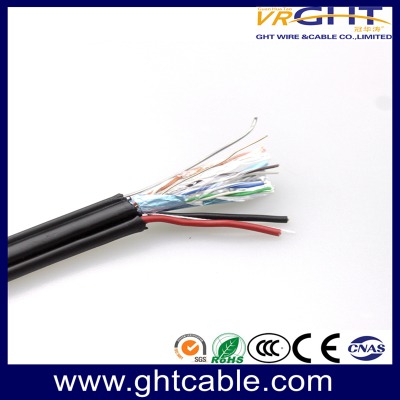
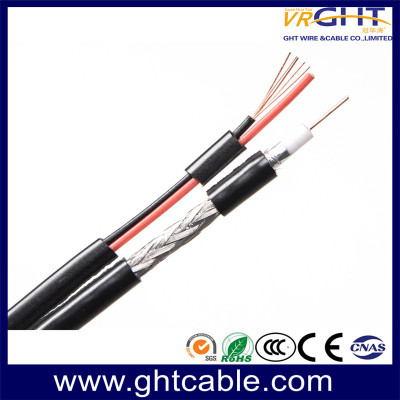
CCTV cameras often use RG59 or RG6. Short camera runs work with RG59. Longer backbone runs perform better with RG6. Siamese coaxial cable combines video and power, which can simplify the layout and reduce total cable length.
Outdoor Installations
Outdoor runs face weather and temperature changes. Choose cable with a durable jacket. Plan slightly shorter maximum lengths because environmental factors can increase loss over time.
Role of a Reliable Coaxial Cable Factory and Supplier
A professional coaxial cable factory controls raw materials and production processes. This leads to more consistent signal performance. A knowledgeable coaxial cable supplier understands different project requirements and can recommend suitable lengths and types.
Ght cable operates as both a coaxial cable factory and coaxial cable supplier. The focus remains on producing stable products that help users maintain signal quality across various distances.
Final Tips for Best Results
Always measure twice before cutting. Choose the cable type according to the longest required run. Prefer solid copper conductors for better long-term performance. Keep records of installed lengths for future maintenance.
When in doubt, select a slightly better cable type rather than risking higher loss. The small extra cost often prevents larger problems later.
Conclusion
Selecting the correct coaxial cable length and using quality products are the best ways to avoid signal loss.
Ght cable is a trusted coaxial cable factory and coaxial cable supplier offering reliable RG6, RG59, and RG11 options. Contact us today for product details, samples, or bulk pricing support.


Leave a comment